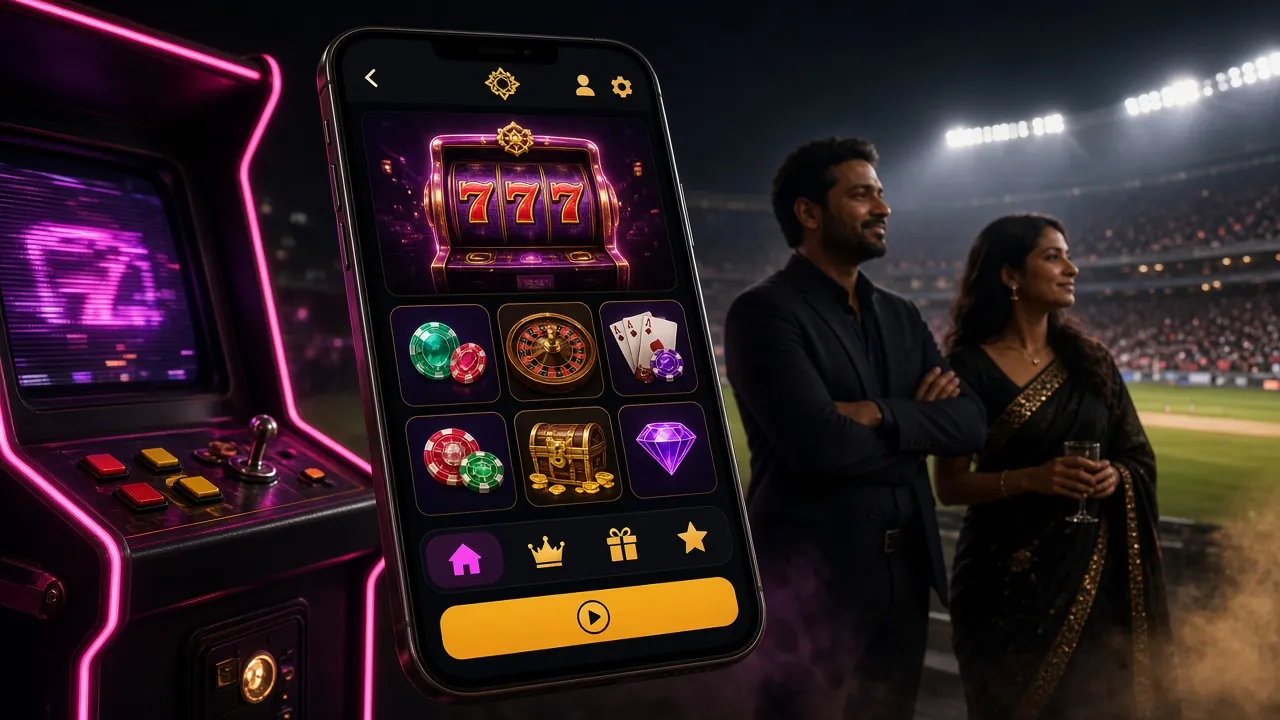
Download the aeb67 App
Play Anywhere in Bangladesh
The aeb67 app brings over 1,900 games to your Android phone. Free to install, works with bKash and Nagad, and loads fast even on a mobile data connection.
- 18+ Only
- SSL Encryption
- 24/7 Support
- bKash · Nagad
Before You Install: Safety Facts
The aeb67 APK file is served directly from our own server. It contains no adware, spyware, or hidden permissions. Here is exactly what the app needs and why.
Every request between the aeb67 app and our servers uses TLS 1.3. Your account credentials, deposit details, and personal data are never sent in plain text. The connection is verified on every launch, so a compromised network cannot intercept your session.
The app requests only Storage (to save the APK update) and Internet permission. It does not ask for camera, microphone, location, or access to your phone contacts. If you ever see an install prompt requesting those permissions, do not proceed — it is not the genuine aeb67 file.
Download only from /download/aeb67.apk on this website. The file is signed with our developer certificate. After downloading, your device may show "Unverified developer" — this is normal for sideloaded apps in Bangladesh and does not mean the file is unsafe. Never download from Telegram groups or third-party app stores.
When a new version is released, the aeb67 app shows a banner inside the lobby. Tap the banner to download the latest APK in one step. You do not need to uninstall the old version first — the update installs over it and keeps all your settings and login session intact.
aeb67 App vs Browser: What Actually Differs
Both the app and the mobile browser version give you full access to games and payments. The table below shows where the app pulls ahead for daily play.
| Feature | aeb67 App v3.9.7 | Mobile Browser |
|---|---|---|
| Game library access | Full 1,900+ games | Full 1,900+ games |
| bKash / Nagad deposit | One-tap redirect | Works via browser |
| Push notifications for bonuses | Yes | — Not available |
| Offline lobby browsing | Game list cached | — Requires connection |
| Live score widget (Cricket) | Built-in widget | Partial On sports page only |
| Auto-login on reopen | Session saved | Partial Depends on browser |
| Data usage per hour (slots) | ~18 MB optimised | ~26 MB More assets loaded |
| Install required | Yes — 58 MB APK | No install needed |
| iOS support | — Android only | Safari / Chrome |
| Biometric login (fingerprint) | Supported | — Not available |
iOS users: open aeb67.ws in Safari, tap Share → Add to Home Screen to get a shortcut that works like an app.
Android APK Install: Step by Step
Android blocks apps that come from outside the Play Store by default. You need to allow installs from unknown sources once — the process takes under a minute.
-
Allow installs from unknown sources
On Android 8 or newer, go to Settings → Apps → Special App Access → Install Unknown Apps. Find your browser (Chrome or Firefox) and toggle "Allow from this source" to ON. You only need to do this once. On older Android, the toggle is under Settings → Security → Unknown Sources. This setting does not lower your phone's overall security for other apps.
-
Download aeb67.apk from this page
Tap the Download APK button above. Your browser will save aeb67.apk (58 MB) to your Downloads folder. Wait for the download bar to reach 100% — do not open the file early or it may be corrupt. If you are on a slow connection, switch to Wi-Fi first to avoid a partial download.
-
Open the APK file and confirm install
Pull down the notification shade and tap the downloaded file, or open your Files app → Downloads → aeb67.apk. Android will show a permissions screen. Review the two permissions (Internet and Storage), then tap Install. The install takes about 10 seconds. If you see a "Blocked by Play Protect" warning, tap More details → Install anyway.
-
Launch and log in to your account
Tap Open after install, or find the aeb67 icon in your app drawer. Enter your registered mobile number and password. If you do not have an account yet, tap Register inside the app. New accounts get the first-deposit bonus automatically — no code needed. The app remembers your login for future sessions.
-
Deposit with bKash and start playing
Go to Wallet → Deposit, choose bKash, Nagad, Rocket, or Upay, and enter an amount (minimum ৳150). The app opens the payment app directly — no copy-pasting account numbers. Deposits arrive in your aeb67 balance within 5 minutes. Head to the lobby, pick a game, and your first qualifying deposit activates the welcome bonus.
iOS Users: Add to Home Screen
- Open aeb67.ws in Safari
- Tap the Share icon
- Scroll down and tap Add to Home Screen
- Name it "aeb67" and tap Add
The shortcut opens the full site in a browser shell. All features including bKash work normally.
Scan this code on your phone to go directly to the aeb67 APK download page. No typing needed.
What the aeb67 App Puts in Your Pocket
Six game categories, one app. Here is what is waiting for you once the install is done.

From JILI classics to Pragmatic Play video slots, the aeb67 app loads slot games faster than a browser tab. Titles like Queen of Bounty (RTP 97.5%) and Win Drop are pre-cached in the lobby so they launch without a loading screen even on 4G.

Ezugi and Sexy Gaming stream live Baccarat, Roulette, and Teen Patti tables around the clock. The aeb67 app handles HD video at a lower bitrate than the browser version — smoother play when your connection dips. Mini Baccarat starts from just ৳1.
Spribe's crash titles — including the hugely popular Aviator — are pinned to the top of the aeb67 app lobby. The app tracks your bet history and shows the last multiplier results inline, so you do not need to scroll back through a chat. Cash out with one tap before the graph drops.
Fishing games are built for touch screens. The aeb67 app uses hardware-accelerated rendering to keep the cannon controls and fish animations smooth. Fishing Expert (Spribe, min bet ৳2) and King of Fishing (Sexy Gaming, up to ৳10,000) both run at full frame rate on mid-range Android phones.
BPL, IPL, T20 World Cup, EPL — the aeb67 app sports section shows live odds and an in-match score widget without leaving the app. Place pre-match bets or switch to in-play mid-over. Monster Triple (Spribe) blends sports and arcade mechanics for a quick-bet experience that works great on a small screen.
The aeb67 app connects directly to bKash, Nagad, Rocket, and Upay. Tap Deposit, pick your method, enter the amount (minimum ৳150), and the app hands off to your payment app. Funds land in your balance within 5 minutes. Withdrawals of ৳1,300 or more process in about 27 minutes on average.
Version & System Requirements
| App version | 3.9.7 |
| File name | aeb67.apk |
| File size | 58 MB |
| Minimum Android | Android 8.0 (Oreo) |
| Last updated | 3 November 2026 |
| Price | Free |
| Language | English / Bangla |
| iOS version | Use mobile browser (Safari) |
| Minimum free storage | 120 MB recommended |
| Internet required | Yes — 4G or Wi-Fi recommended |
Don't have an account yet? Register here — takes under 2 minutes.
- Total Games
- 1,900+
- APK Size
- 58 MB
- Deposit In
- 5 min
- Withdraw In
- 27 min
Supported Devices (tested)
- Samsung Galaxy A-series (A14, A32, A52, A54)
- Xiaomi Redmi Note 10, 11, 12
- OPPO A-series and Reno-series
- Realme C-series and 9-series
- Symphony and Walton (Android 9+)
Install Problems & How to Fix Them
Most install errors come from one of five root causes. Find your error message in the first column and follow the fix.
| Error / Symptom | Likely Cause | Fix |
|---|---|---|
| "Install blocked" | Unknown sources permission not enabled for your browser or file manager | Go to Settings → Apps → Special App Access → Install Unknown Apps. Find the app you used to download (Chrome, Firefox, or Mi File Manager) and toggle "Allow from this source" ON. Then try installing again. |
| "Parse error" or "App not installed" | The APK file is incomplete — download was cut short by a poor connection or the file was opened before it finished | Delete the partial file from your Downloads folder. Reconnect to Wi-Fi, return to this page, and tap Download APK again. Wait until the browser shows "Download complete" before opening. |
| "Insufficient storage" | Less than 120 MB free on internal storage | Open Settings → Storage and check available space. Delete unused apps, clear app caches, or move photos to Google Photos. The aeb67 APK needs 58 MB to download and roughly 60 MB more to unpack during install. |
| App installs but crashes on launch | Android version below 8.0, or conflicting older aeb67 install | Check your Android version at Settings → About Phone → Android Version. If it is below 8.0, use the mobile browser version at aeb67.ws instead. If Android is 8.0+, uninstall the existing aeb67 app first, reboot your phone, and install the fresh APK. |
| "Play Protect" warning blocks install | Google Play Protect flags APKs not distributed through the Play Store | This is a standard Android security warning, not specific to aeb67. Tap More details → Install anyway. The app does not contain malware. If you prefer, you can temporarily disable Play Protect in the Play Store settings, install the app, then re-enable it. |
aeb67 App Questions, Answered Plainly
01Is the aeb67 APK safe to install on my Android phone?
Yes. The APK is built and signed by aeb67's development team and hosted on our own server. It requests only Internet and Storage permissions — nothing that touches your personal files, contacts, or camera. The app communicates over TLS 1.3 encryption. Download only from the button on this page. Any copy shared via Telegram or third-party sites may have been modified. If you are unsure, scan the downloaded file with an antivirus app before installing.
02Why isn't the aeb67 app available on Google Play?
Google Play does not allow real-money gambling apps in markets where Google has not specifically approved them, which currently includes Bangladesh. This is a Google policy, not a restriction on aeb67. The APK itself is fully functional. Many players in Bangladesh install gaming apps this way — it is a standard process and does not affect your security or gameplay experience in any way.
03How do I update the aeb67 app when a new version comes out?
When a new version is available, the app shows a notification banner at the top of the lobby. Tap the banner and it takes you to the download page automatically. Download the new APK and install it over your existing app — you do not need to uninstall first. Your account, balance, and game history all carry over. The current version is 3.9.7, last updated 3 November 2026. Check this page periodically if you have turned off in-app notifications.
04Can I use bKash inside the aeb67 app to deposit?
Yes. Tap Wallet → Deposit, select bKash, enter the amount (minimum ৳150), and the app opens the bKash app directly for confirmation. You do not need to copy any account numbers manually. Funds reach your aeb67 balance within 5 minutes. Nagad, Rocket, and Upay work the same way. For withdrawals, the minimum is ৳1,300 and the average processing time is 27 minutes, up to a daily limit of ৳1,00,000.
05Does the aeb67 app work on iPhone or iPad?
The APK file is Android-only. Apple does not allow sideloaded APKs on iOS. iPhone and iPad users can access aeb67 through Safari — open aeb67.ws, then tap Share → Add to Home Screen to create a shortcut that behaves like an app. All features including live casino, crash games, bKash deposit, and account management work in Safari on iOS. There is no separate iOS app at this time.
06Will the app drain my mobile data quickly?
The aeb67 app uses an optimised data stream for game assets. Slots and crash games use roughly 18 MB per hour on average — less than a standard YouTube video at low quality. Live casino streams use more data (around 60–80 MB per hour) because they carry a video feed from the dealer table. For heavy live casino sessions, Wi-Fi is recommended. The game lobby itself loads from cache after the first open, so browsing titles costs almost nothing.
07Do I need to verify my identity (KYC) before using the app?
You can register, deposit, and play immediately after installing the app — no documents needed upfront. KYC is required before your first withdrawal. Acceptable documents are your National ID Card (NID), Passport, or Driving Licence. Upload a photo of the document inside the app under Account → Verify Identity. The review takes up to 24 hours. Submit your documents as soon as you register so your first withdrawal is not delayed.
Ready to Install?
Download the free aeb67 APK now. First-time depositors get a 165% welcome bonus up to ৳23,000.
Download APK Create Account18+ · Play Responsibly · [email protected]